
In an era when the digital landscape is perpetually under threat from cyber attackers, securing your online presence is not just advisable—it’s imperative. WordPress, the world’s most popular Content Management System (CMS), hosts millions of websites, ranging from personal blogs to extensive e-commerce platforms.
As an Amazon Associate I earn from qualifying purchases and sometimes recommend products from other sellers at no extra cost you. For more details see my disclosure policy and privacy policy.
Its widespread adoption makes it a prime target for hackers, who exploit vulnerabilities to hijack websites, steal sensitive data, or deploy malicious software. The open-source nature of WordPress, combined with the vast ecosystem of themes and plugins, can introduce security weaknesses if not carefully managed.
Therefore, understanding the foundational steps to safeguard your WordPress website is critical for beginners to protect their digital assets and ensure their visitors’ trust and safety.

Keep Your WordPress Updated
One of the simplest yet most effective measures to secure your WordPress website is to regularly update the core software, along with any installed themes and plugins. These updates often include patches for security vulnerabilities that have been discovered since the last version. Hackers frequently target sites running on outdated software, making it crucial to implement updates as soon as they are available to mitigate potential risks.
WordPress offers an auto-update feature to streamline the update process and ensure your website remains secure. For the core software, you can enable this by navigating to the Dashboard, then to Updates, and clicking on the “Enable automatic updates for all new versions of WordPress” option.
You can turn on automatic updates for plugins and themes by visiting the Plugins or Themes page, where you’ll see an option to ‘Enable auto-updates’ next to each plugin and theme. Activating auto-updates means that WordPress will handle these updates in the background, safeguarding your site with minimal effort on your part.
Strong Passwords and User Permissions
The importance of creating strong, unique passwords for the admin area of your WordPress site cannot be overstated. A strong password is typically at least 12 characters long and contains a mix of letters, numbers, and special characters, making it difficult for attackers to guess or crack through brute force methods. Avoid using common words or phrases; never reuse passwords across different sites or platforms. Consider using a password manager to generate and store complex passwords for enhanced security.
Equally important is the cautious management of user roles and permissions on your WordPress site. WordPress has a built-in system to manage user roles, each with its own permissions defining what actions a user can or cannot perform. Limit the number of administrators to only those who truly need full access to your site.
To minimize the risk of accidental or deliberate damage to your site, assign contributors, authors, and other team members roles that match their level of responsibility, such as editor, author, or contributor. This principle of least privilege ensures that users have the access necessary to perform their tasks without unnecessary permissions that could pose a security risk.
Installing a Security Plugin
Enhancing your WordPress website’s security apparatus with a robust security plugin is a wise move. Plugins like Wordfence Security, Sucuri Security, and iThemes Security are highly recommended for their comprehensive security features. These plugins offer real-time monitoring and protection against threats, including malware scanning, firewall protection, and brute force attack prevention.
Wordfence Security, for instance, includes an endpoint firewall and malware scanner that were built from the ground up to protect WordPress. Sucuri Security offers website antivirus and firewall solutions that help detect, block, and remove malicious attacks. iThemes Security works to fix common holes in your WordPress site from potential automated attacks. These plugins offer advanced features like two-factor authentication, file integrity checks, and security hardening to further fortify your site.
Installing one of these security plugins empowers your website with the tools to actively monitor for suspicious activity and potential vulnerabilities. This not only aids in the early detection of threats but also provides the capability to act swiftly in mitigating any identified risks, ensuring the safety and integrity of your WordPress site.
Implementing SSL Certification
Implementing SSL (Secure Sockets Layer) certification is critical for protecting the data transferred between your website and its visitors. SSL certificates encrypt the connection, ensuring that sensitive information, such as login credentials, personal information, and payment details, remains secure from interception by malicious actors. This encryption makes it exceedingly difficult for hackers to exploit the data being exchanged.
An added benefit of SSL certification is boosting your website’s credibility and search engine ranking. Browsers like Google Chrome mark non-HTTPS sites as ‘Not Secure’, which can deter visitors and tarnish your site’s reputation. Search engines also favor secure websites, potentially enhancing your site’s visibility and traffic.
To obtain an SSL certificate for your WordPress site, you can start by checking with your hosting provider. Many hosting services offer free SSL certificates as part of their hosting packages, facilitated through initiatives like Let’s Encrypt. If your hosting provider supports this, they will usually have a straightforward process to enable SSL directly from your hosting control panel.
You can purchase one from a reputable Certificate Authority (CA) if your host does not offer a free SSL certificate. After purchase, you will need to manually install the certificate on your server, a process that varies depending on your hosting environment. Most hosting providers offer documentation or support to guide you through this installation.
Once installed, ensure that your WordPress site is configured to use HTTPS by default. You can achieve this by going to your WordPress admin area, navigating to Settings > General, and updating your WordPress Address (URL) and Site Address (URL) to use “https” instead of “http”. Plugins can also help enforce SSL site-wide and take care of any mixed content issues, ensuring all your site’s content is accessed securely through HTTPS.
Regular Backups
Maintaining regular backups is a fundamental aspect of website security. The safety net ensures your WordPress site can be restored quickly in the event of data loss, whether from a security breach, accidental deletion, or server failure. A comprehensive backup strategy involves saving multiple versions of your site’s files and databases, allowing you to revert to a previous state without significant data loss.
Numerous WordPress backup solutions are available, ranging from plugins to third-party services, each with its features and benefits. UpdraftPlus and VaultPress (part of Jetpack) are two highly recommended options for WordPress users. UpdraftPlus is a versatile solution that allows for automatic and scheduled backups, stores your backups to a remote location such as Dropbox, Google Drive, or Amazon S3, and makes restoring your site straightforward. VaultPress, on the other hand, offers real-time backup and security scanning, ensuring that your site is continuously monitored and backed up as soon as changes occur.
It is crucial to select a backup solution that aligns with your website’s specific needs and complexity. Ensure that your chosen method provides automated backups, off-site storage, and an easy restoration process. Implementing a reliable backup system will greatly diminish the potential stress and damage associated with website security incidents, keeping your WordPress site secure and resilient in the face of challenges.
Setting up a Web Application Firewall (WAF)
A Web Application Firewall (WAF) enhances the security posture of your WordPress site by acting as a gatekeeper to filter, monitor, and block malicious traffic before it can reach your website. It differentiates itself from conventional firewalls by specifically targeting HTTP traffic, offering protection against common web vulnerabilities like SQL injection attacks, cross-site scripting (XSS), and other OWASP Top 10 threats. This safeguard is particularly critical for WordPress sites, which, due to their popularity, often become targets for automated attacks.
Options for implementing a WAF on a WordPress website side into two main categories: plugin-based and cloud-based solutions. Plugin-based firewalls, such as Wordfence and All In One WP Security & Firewall, operate within your WordPress environment, providing an accessible and easily integrable solution. These plugins often come with a suite of additional security features, making them a versatile choice for WordPress users.
Conversely, cloud-based firewalls, like those offered by Sucuri and Cloudflare, provide an external barrier between your website and incoming traffic. This type of WAF routes traffic through its servers, scanning and filtering it before it reaches your site, which can help reduce server load and provide an additional layer of protection against Distributed Denial of Service (DDoS) attacks. Cloud-based solutions often boast higher performance and a more extensive global network to protect your site, regardless of traffic spikes or geographical targeting of attacks.
Regardless of the choice between plugin-based or cloud-based firewalls, the inclusion of a WAF in your WordPress site’s security strategy is a fundamental step toward protecting your website from an array of cyber threats. By selecting the option that best fits your specific needs and setup, you can ensure that your site remains secure, credible, and available to your audience.

Secure Hosting Environment
Choosing a hosting provider committed to robust security measures is paramount for maintaining a safe and reliable WordPress site. Key security features to seek in a hosting service include regular security monitoring, automatic updates for the core WordPress software and associated plugins, malware scanning and removal capabilities, and support for secure protocols like SSH and SFTP for safe file transfers. Additionally, a hosting provider that offers reliable technical support ensures that you can swiftly address any security concerns that arise.
Lyrical Host stands out as an example of a hosting provider that we use and highly recommend for WordPress users prioritizing security. This provider excels in offering various security features tailored to protect websites from cyber threats. With Lyrical Host, customers benefit from automatic daily backups, free SSL certificates for encrypting data, and built-in protection against brute force attacks. Their hosting plans also include malware scanning and removal, ensuring that any security vulnerabilities are promptly identified and eradicated.
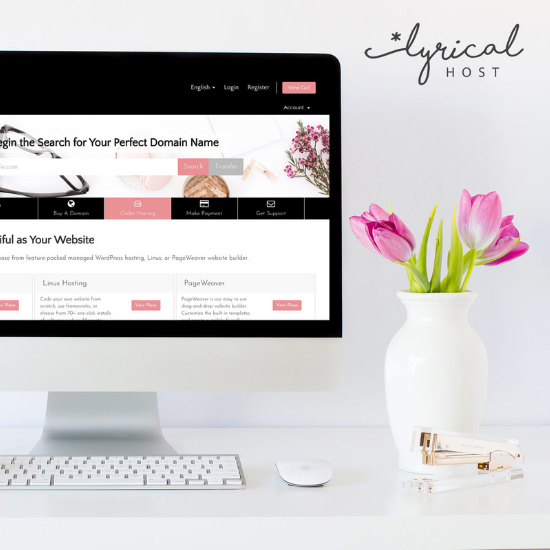
The commitment of Lyrical Host to maintaining a secure hosting environment, coupled with its proactive approach to customer support, makes it an excellent choice for anyone seeking a reliable and secure WordPress hosting solution.
Concluding Thoughts
In the digital age, ensuring the security of your WordPress site cannot be overstated. You can significantly mitigate the risks of cyberthreats through strategic practices like implementing HTTPS, conducting regular backups, setting up a Web Application Firewall (WAF), and choosing a secure hosting environment.
Remember, safeguarding your website is an ongoing process that requires vigilance, regular updates, and a proactive approach to security measures. By leveraging these strategies, you reinforce not only your site’s security but also your visitors’ trust and confidence.